Mobile · Input
Mobile Controls Pro
Complete mobile touch controls for Unity
Unity 6 · Android & iOS
Asset Store review in progress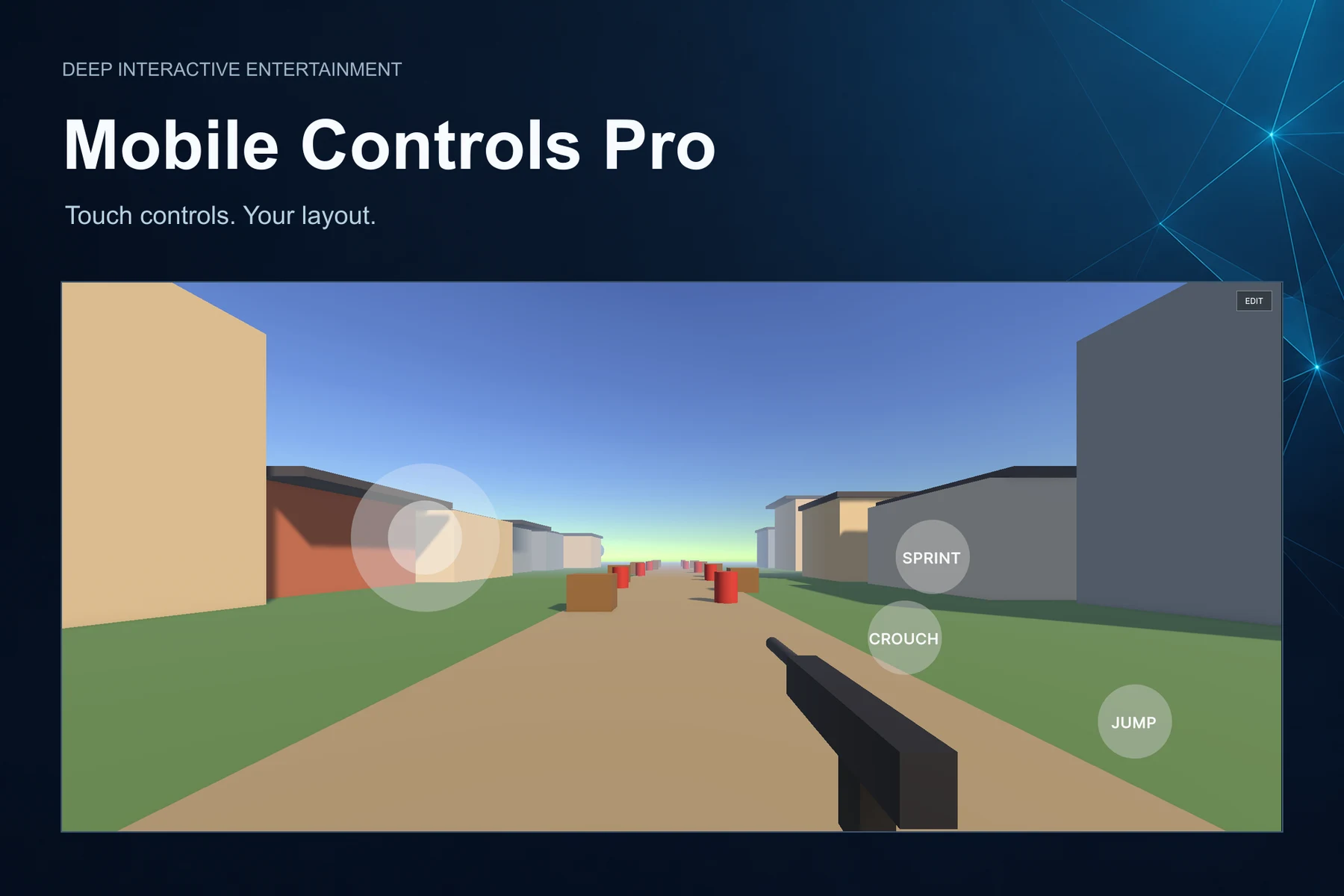
See it for yourself
Inside the toolkit
Explore screenshots, cover artwork and a product video. Open any image for a closer look.
Your game. Their controls.
Joysticks and action buttons in the included FPS demo.
Mobile Controls Pro is a complete mobile control system for Unity, designed to help developers create professional touch controls for Android and iOS games without writing custom input UI from scratch.
It includes procedural runtime controls — joysticks, buttons and look areas — plus an in-game HUD editor that lets players or developers move, resize, customize, save, reset, show, hide and edit layouts at runtime. Layouts save using normalized positions, so they are resolution independent.
Data-driven and highly customizable: build from the Inspector, wire actions through UnityEvents, and use it without touching your character or camera code. Ideal for FPS, TPS, survival, action, platformer, MOBA, twin-stick and RPG projects.
Runtime HUD editor
Players drag, resize and save their own layout in-game — just like modern mobile shooters.
Non-invasive & data-driven
Works with your existing character and camera via UnityEvents — no code changes needed.
Control types
- Joystick — analog movement, deadzone, auto return-to-center, Vector2 output
- Button — Tap, Hold and Toggle modes
- Look Area — camera drag delta, sensitivity, invert-Y, invisible overlay
- Multi-touch support
Runtime HUD editing
- Drag & resize controls with touch
- Change opacity at runtime
- Save / reset layout, end edit mode
- Built-in Edit & Pause buttons
- Runtime player customization
Layout & customization
- Versioned JSON save via PlayerPrefs
- Normalized (0–1) positions, resolution independent
- Multiple layout profiles
- Custom sprites, colors, sizes, opacity
- Press & fade animations, optional DOTween
API, events & presets
- Public API: ToggleEditMode, BeginEdit, SaveLayout, ResetLayout, Show/Hide…
- UnityEvents: OnEditModeChanged, OnValue(Vector2), OnClick, OnPauseRequested…
- FPS, TwinStick and MOBA presets
- One-click FPS sample scene installer
- Runtime / Editor / Samples assembly definitions